Links and text
Send links and text between paired devices. Messages are encrypted on your devices before the relay forwards them.
Android meets desktop. No account required.
Send a file. Reply to a text. Clear a notification. Your Android phone and desktop, working together.
Android + Mac, with Windows in testing. Join the launch list; public downloads aren't open yet.
Watch a file leave Android, travel encrypted, and land on your Mac. No emailing yourself. No new account.
Twinbeam / Android
Send a beam
Design brief.pdf
2.4 MB · PDF document
Your Mac is one send away.
Ready when you are.
Send something from your phone.File content is encrypted on the sending device before upload.
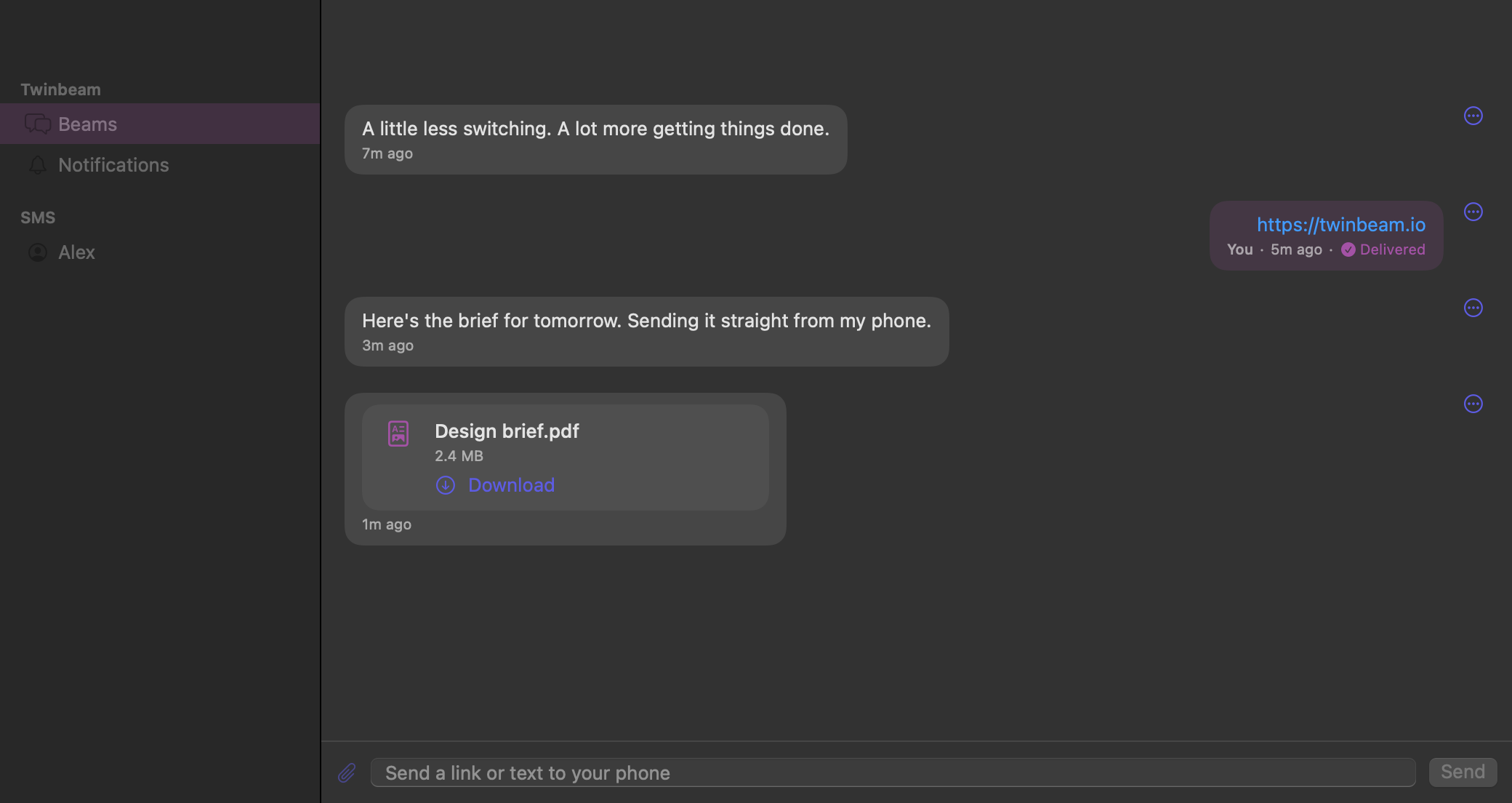
Animated illustration of real workflows, with fictional content. Not a live connection or a recording. Native Mac screenshots shown separately. Pre-release UI may change.
Links, notes, opt-in clipboard sharing and incoming-call controls. Your everyday essentials, in the same encrypted channel.
Send links and text between paired devices. Messages are encrypted on your devices before the relay forwards them.
Send files between Android and desktop with transfer progress and retry. File size, count and retention depend on your plan.
Read incoming Android texts, start conversations and reply from Mac or Windows. Your phone sends the SMS; carrier charges may apply. Mirroring texts sent on the phone is an optional setting.
See current Android notifications on desktop, dismiss one from desktop to clear it on your phone, or clear it on your phone to remove it from desktop. Quick-reply works when the source app supports it. This is not notification history.
See who's calling, decline from desktop, or decline with a text. Android call-screening permissions are required. Calls are not answered remotely and call audio stays on your phone.
Share clipboard text between Android and desktop. Desktop sync is opt-in; Android can send its clipboard on demand. Clipboard content is ephemeral and requires both devices online.
Pre-release features, implemented and in testing. SMS, notification and call features depend on Android permissions and platform support. Message and data charges from your carrier may apply.
Private by design
Scan your desktop's QR code with Android, or use the full pairing token. No account required. Enable only the Android permissions for the features you want.
Content is encrypted on your devices before it reaches the relay. The pairing invite shares your channel key, so keep it private.
Encryption protects content passing through the relay, not a compromised device or a shared pairing invite. Routing metadata remains visible to the service; catch-up history is limited, not a permanent backup.
A random 256-bit key is shared through the pairing QR code or full token, not through the relay. Anyone holding that invite has the key, so keep it private.
Clients encrypt message content before sending it, using authenticated encryption with a 12-byte nonce and 128-bit tag. Paired devices use the shared channel key to decrypt it.
The relay handles encrypted message bodies, but can see identifiers, message kinds, timestamps and sizes. Delivery receipts and message-deletion IDs are not encrypted.
Encrypted messages can remain in relay history after delivery, until retention or message limits remove them. Reconnect catch-up is not a permanent backup. Paired devices can keep local history.
Planned launch pricing
Every capability. Both plans. Pro adds capacity, not privacy.
Twinbeam is not publicly released yet. Paid checkout is not currently available. Prices and limits may change before launch.
The whole everyday workflow. Just your two devices.
$0forever
No card required. One phone and one computer.
Bigger files. More devices. More room to catch up.
$59.99/ year
About $5/month, paid as $59.99 once a year.
All content is end-to-end encrypted. Android permissions and supported app actions are required for phone features; carrier charges may apply. Catch-up is limited relay history, not a permanent backup. File-transfer allowances use rolling 24-hour windows.
No payment is taken here. At launch, any subscription price, taxes, renewal and cancellation terms will be shown before purchase. See our Terms and Privacy Policy.
Get an early-access invitation and hear when we launch. Launch emails only. No newsletter.
Signing up does not unlock a download or guarantee beta access. We have not announced a release date.
Your email and consent are sent to Brevo to manage this list. Read our Privacy Policy and Brevo's privacy information. Unsubscribe in any launch email or contact support@twinbeam.io.
Android + Mac is being prepared for release. The native Windows client is in testing; a public Windows beta is not available yet. We have not announced a release date. The launch list sends announcements and invitations, not an immediate download or a guaranteed place in a beta.
iPhone, iPad and browser extensions are not available. The website demo is an illustration, not a browser client. More platforms are being explored, not promised.
A device slot is a paired app installation in your channel, not an email account or a browser tab. Free has room for a phone and a computer. A separate installation can occupy another slot; unpair devices you no longer use before adding replacements.
Yes. Your paired Android sends SMS; carrier charges may apply. Desktop call controls let you see or decline incoming calls, not answer them remotely. Call audio stays on your phone. These features require the relevant Android permissions.
Coming from Pushbullet? Compare the approaches